
Every order, every table, one system
Point of sale, kitchen screens, online and QR ordering, kiosk, delivery partners and payments, built to run as one.
One menu for every channel
Keeps working offline
Cards, cash, splits and tips
Phone, tablet, desktop, handheld
Kuber takes the order at the counter, the table or online, fires it to the kitchen, takes payment however the table wants, and adds it all up in one report at close.
Run every part of the restaurant
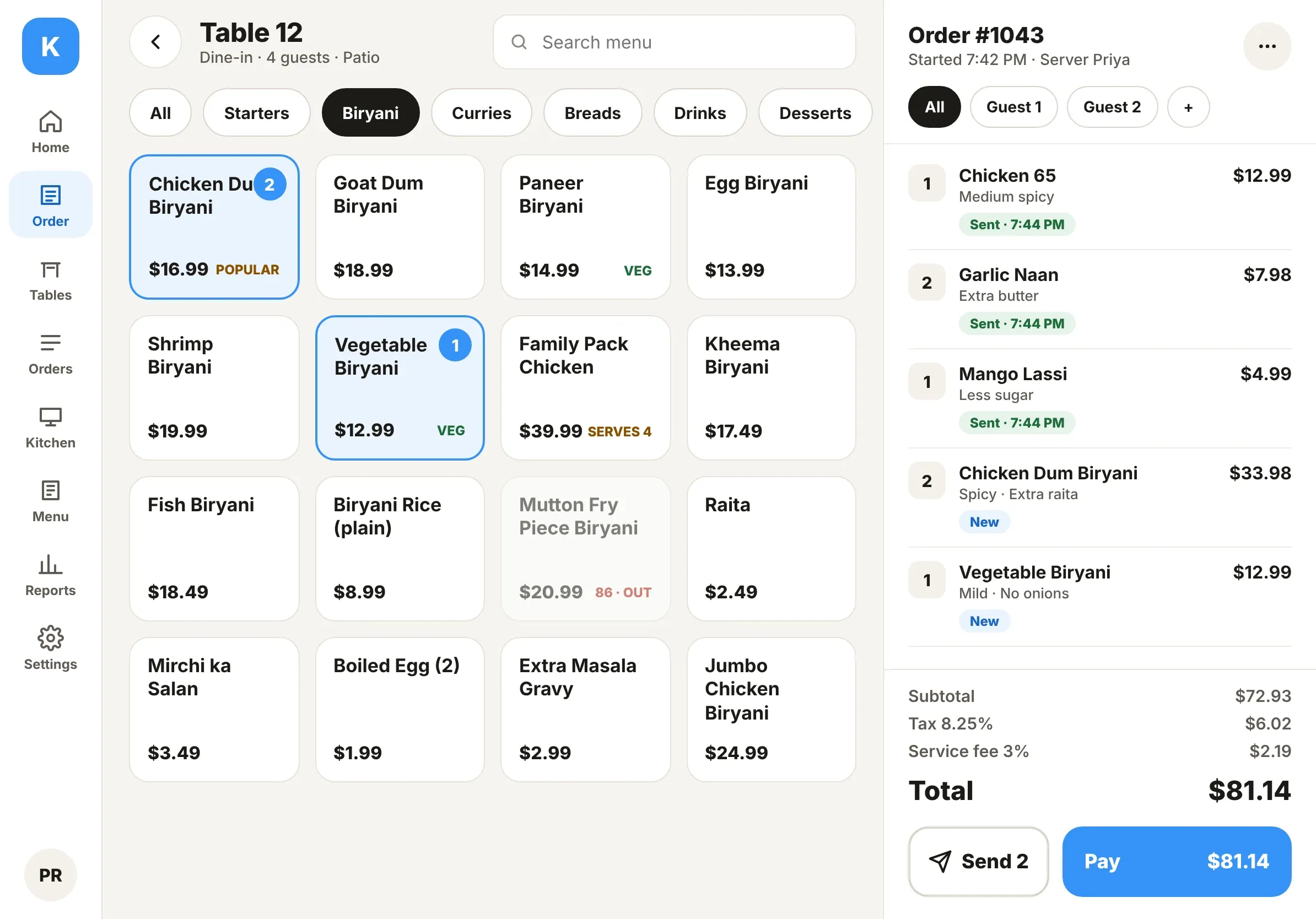
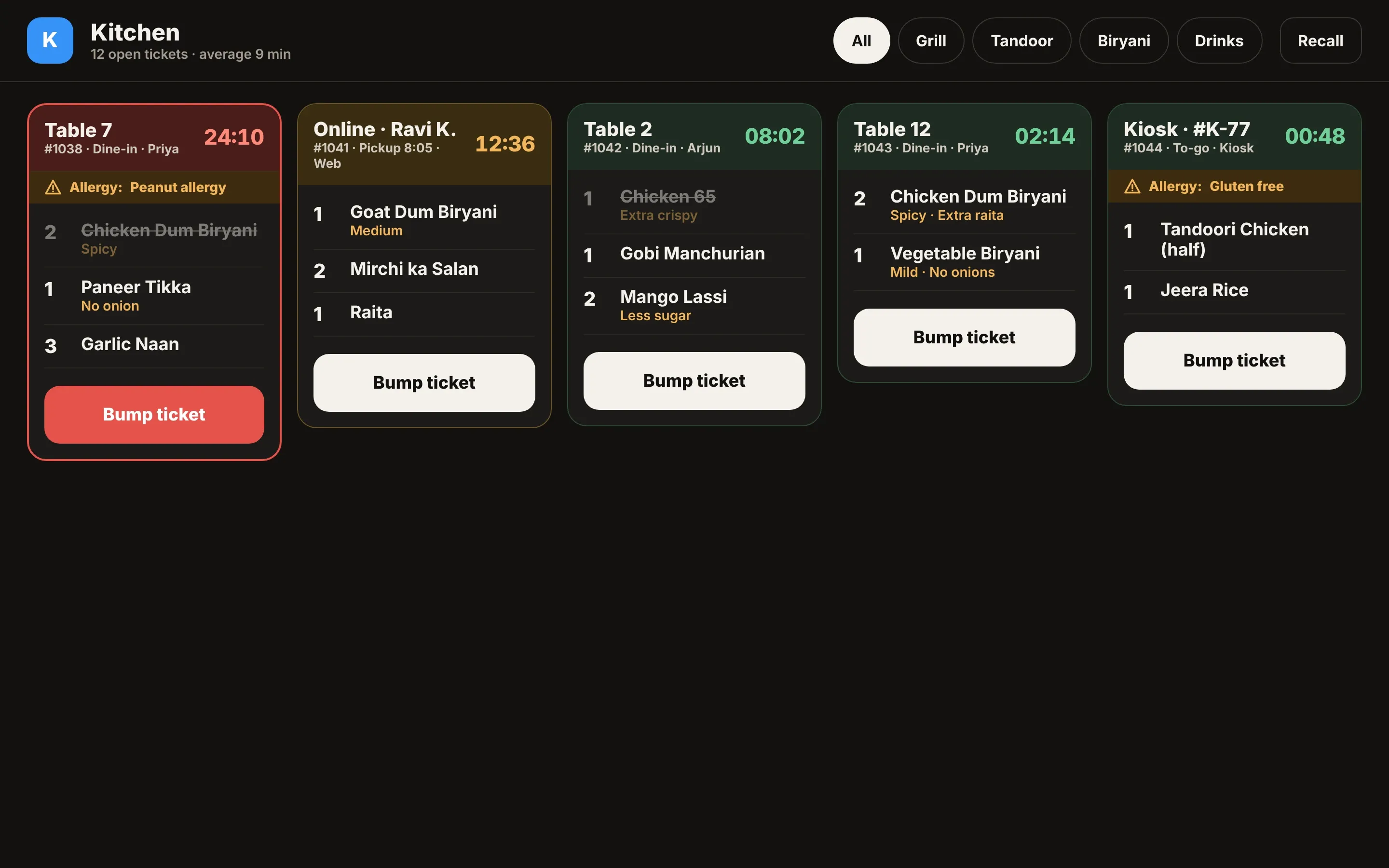
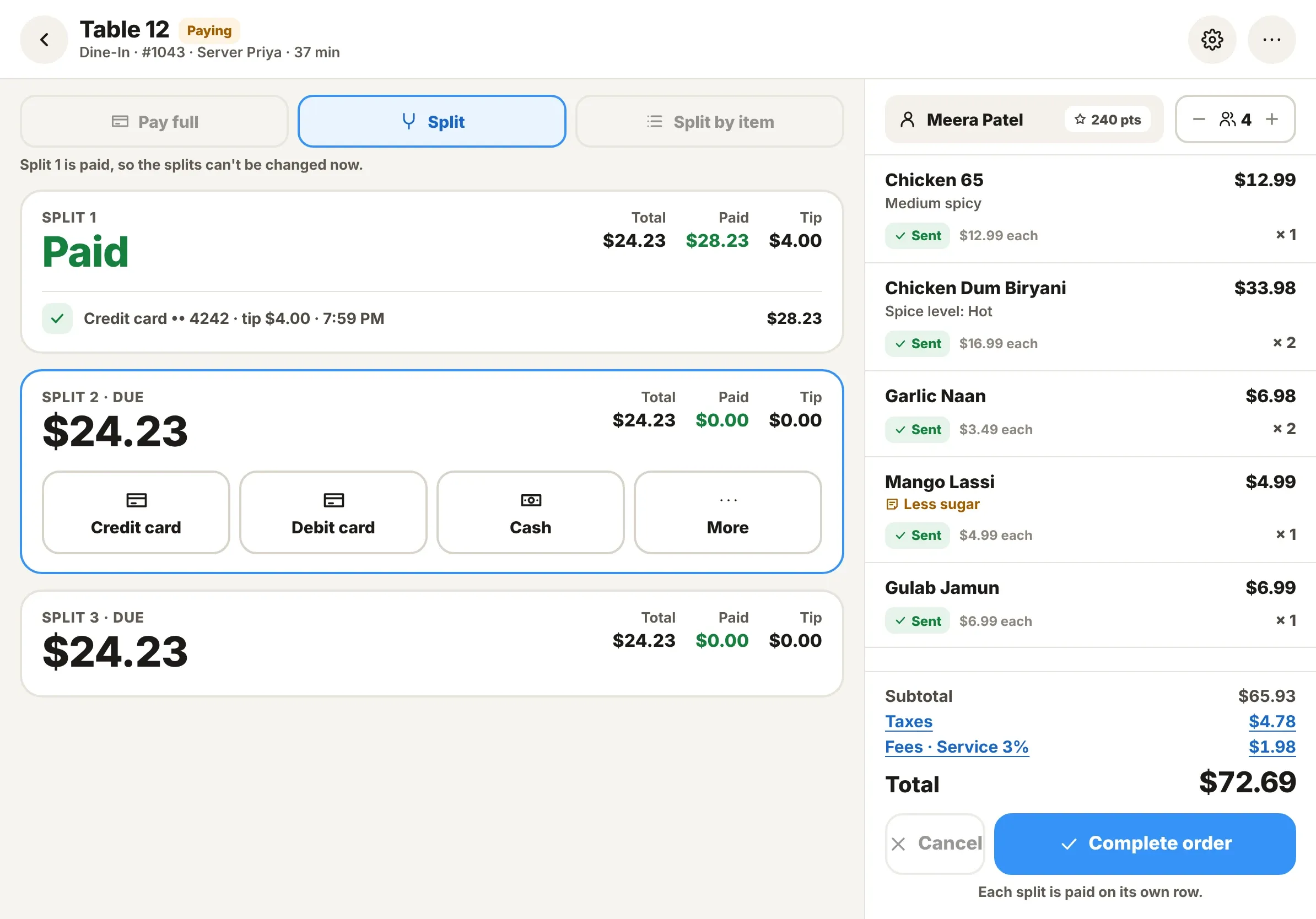
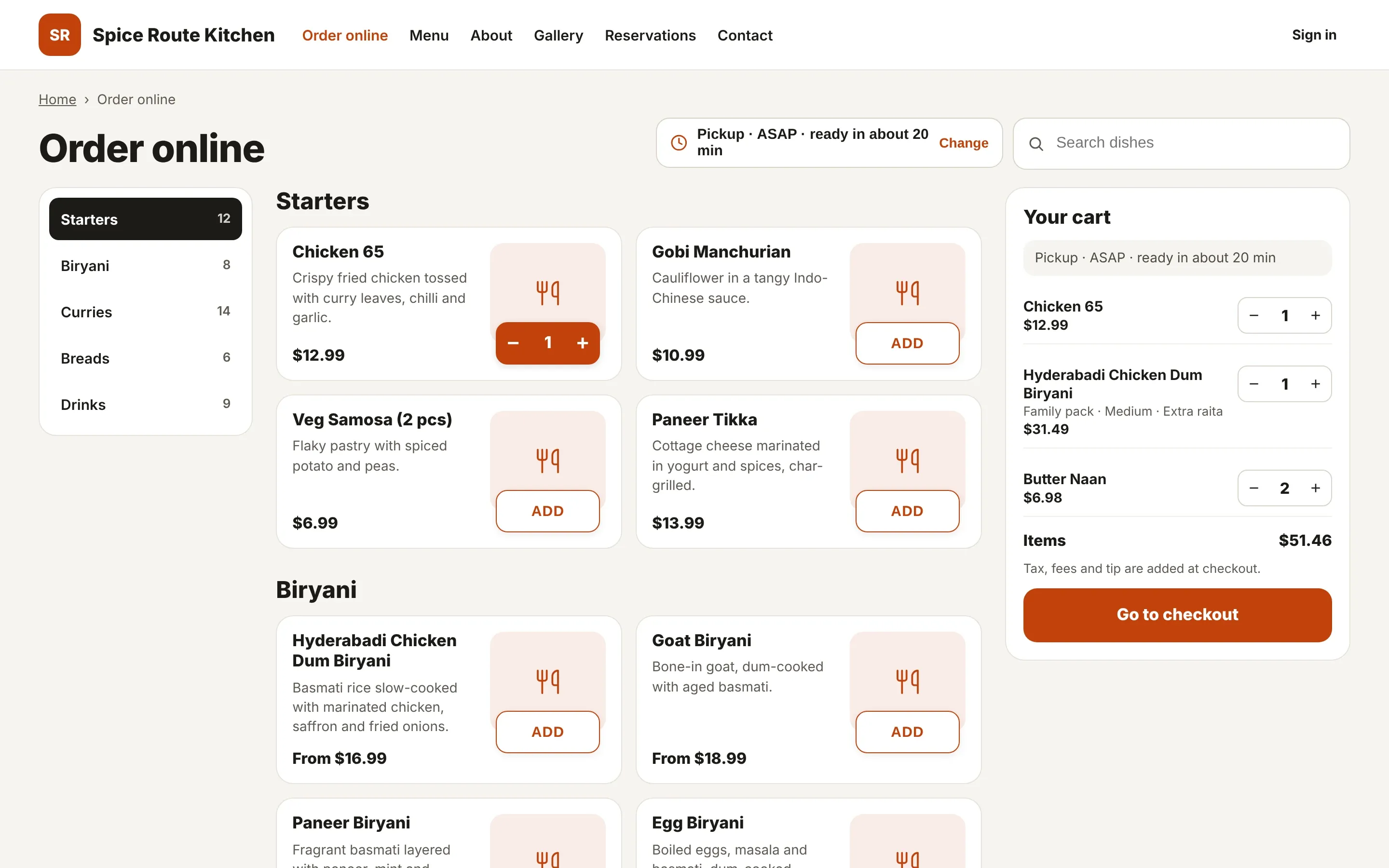
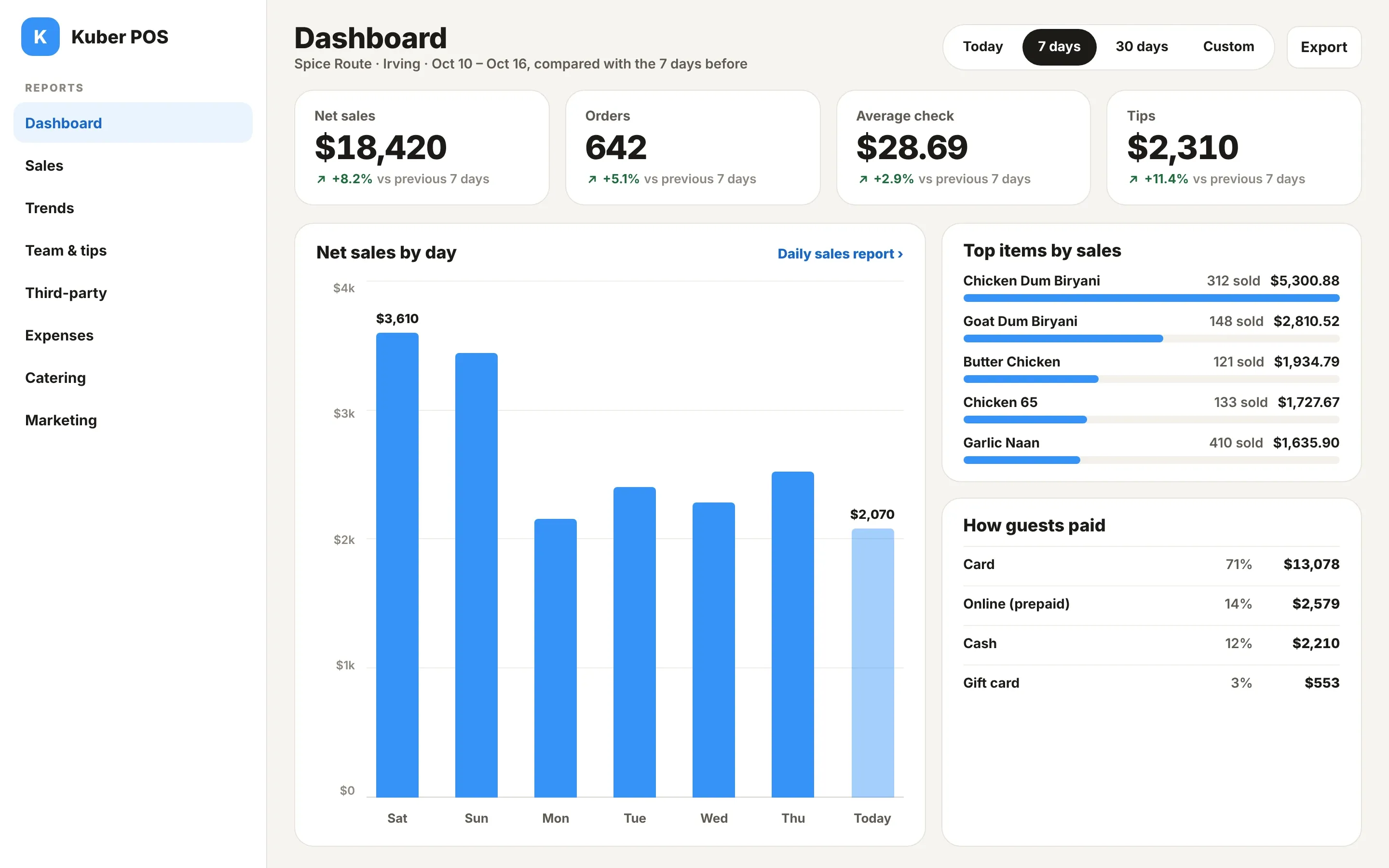
Dine-in, to-go and quick orders on one screen, by guest and seat, with sizes, add-on rules and allergies.
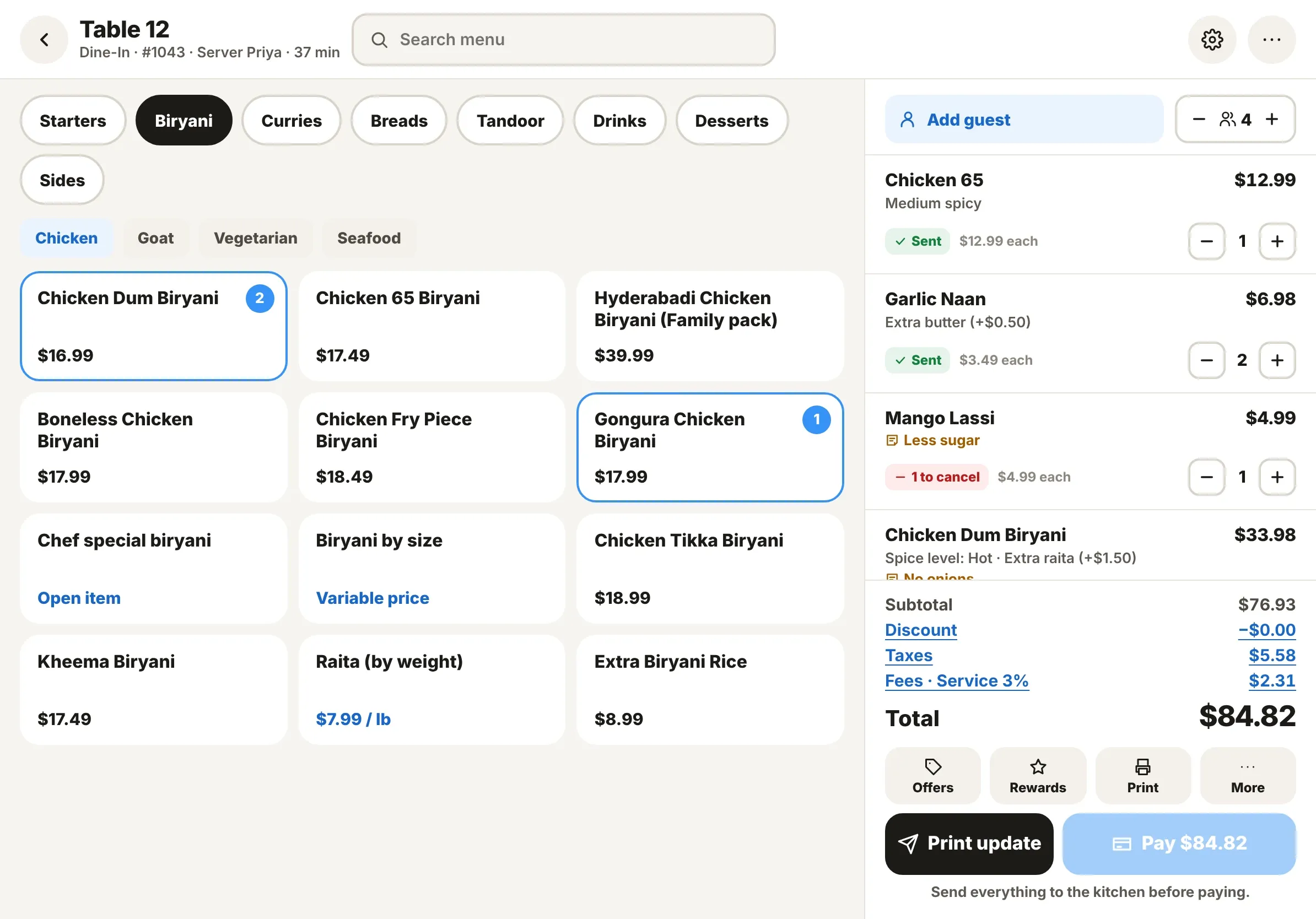
Explore point of saleOnly new and changed lines are sent. Tickets turn amber at 15 minutes and red at 30.
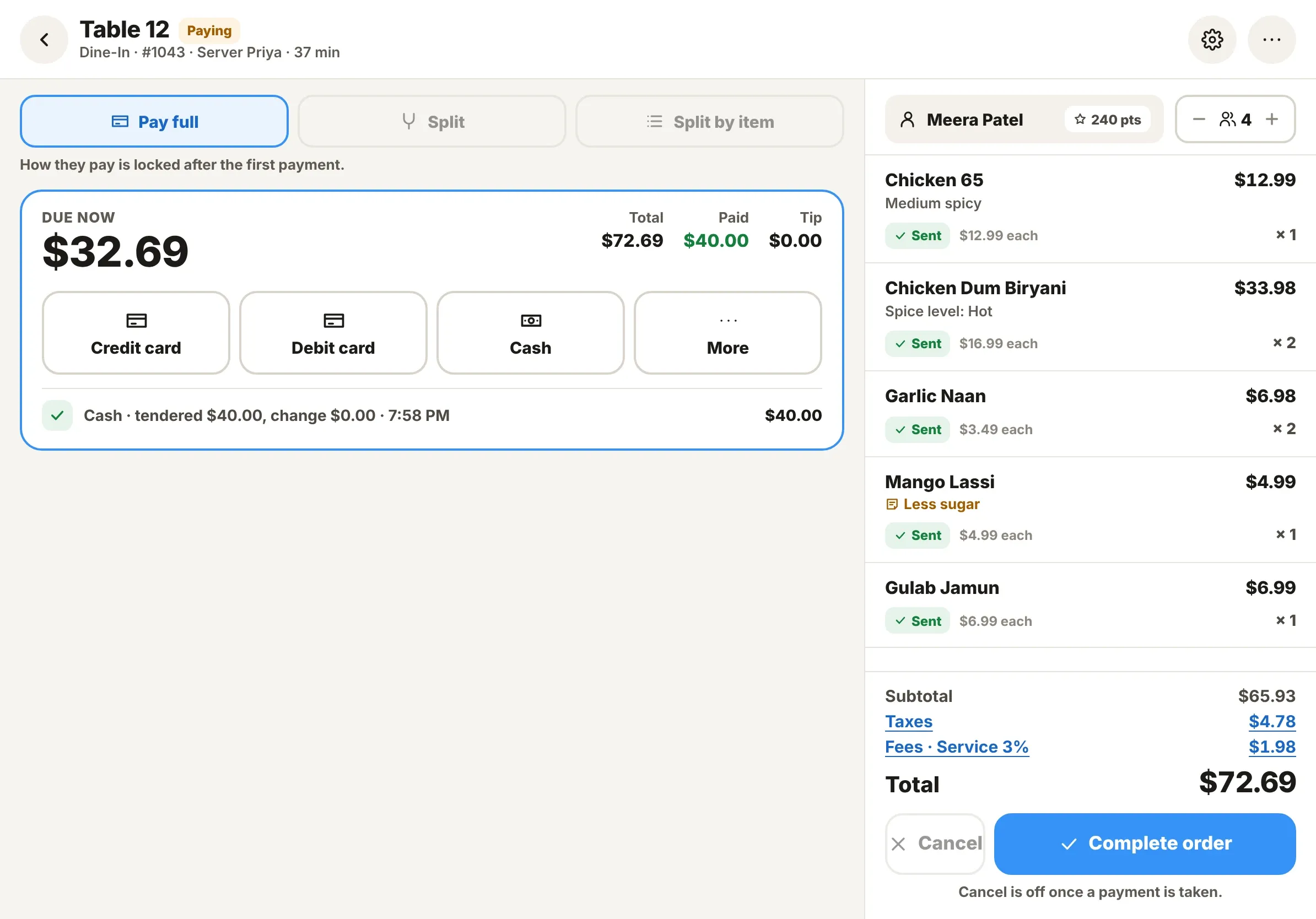
Explore kitchen displaySplit by amount, by item or by guest. Card on the terminal or handheld, cash with change, tips and refunds.
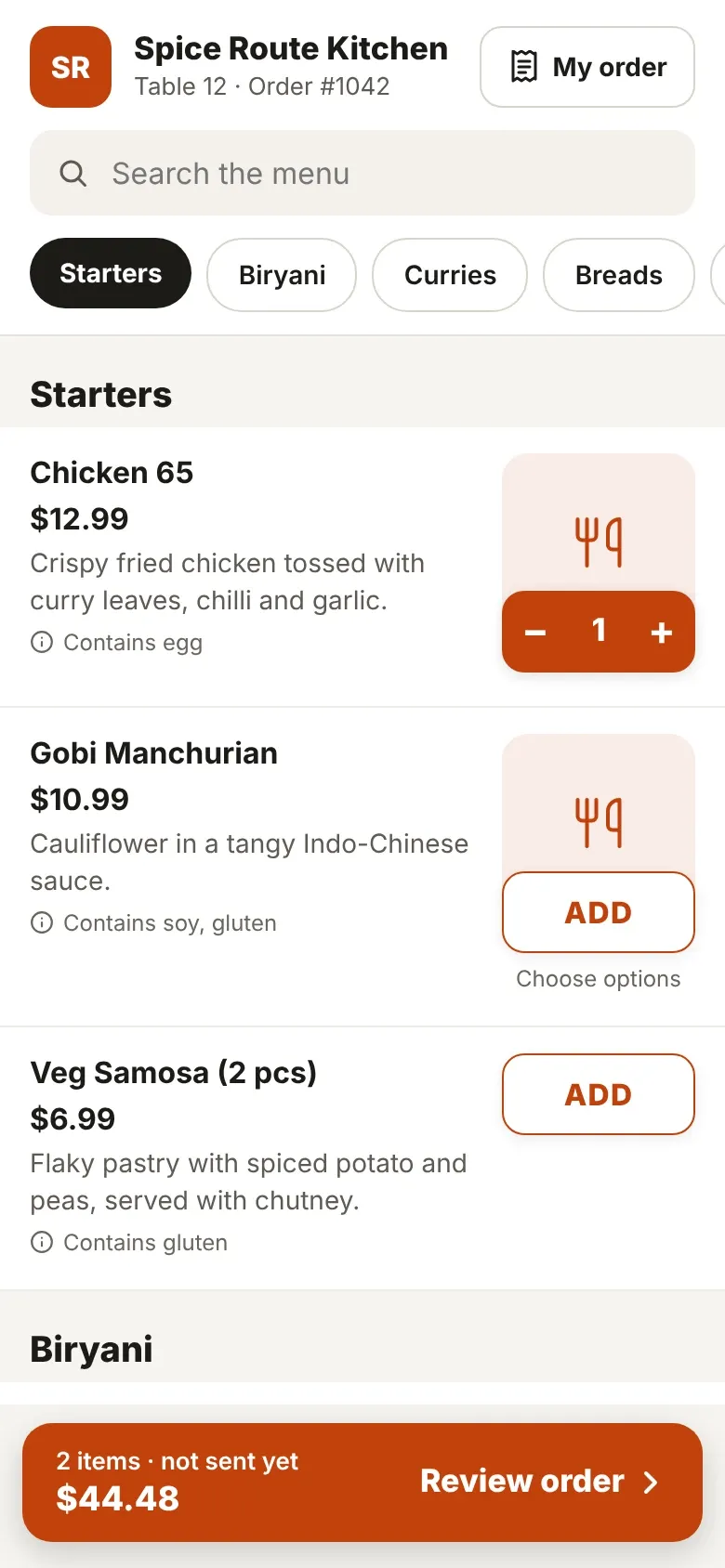
Explore paymentsYour own ordering site with pickup, delivery and Apple Pay, plus table and to-go QR menus.
Explore online ordering17 reports, from hourly sales to server tips, by location. Every receipt opens the order behind it.
Explore reportsDine-in, to-go and quick orders on one screen, by guest and seat, with sizes, add-on rules and allergies.
Explore point of saleOnly new and changed lines are sent. Tickets turn amber at 15 minutes and red at 30.
Explore kitchen displaySplit by amount, by item or by guest. Card on the terminal or handheld, cash with change, tips and refunds.
Explore paymentsYour own ordering site with pickup, delivery and Apple Pay, plus table and to-go QR menus.
Explore online ordering17 reports, from hourly sales to server tips, by location. Every receipt opens the order behind it.
Explore reports
Turn tables without losing a single seat
A live floor plan, ordering by guest and payment at the table, so a busy dining room runs from one screen.
Explore tables & floor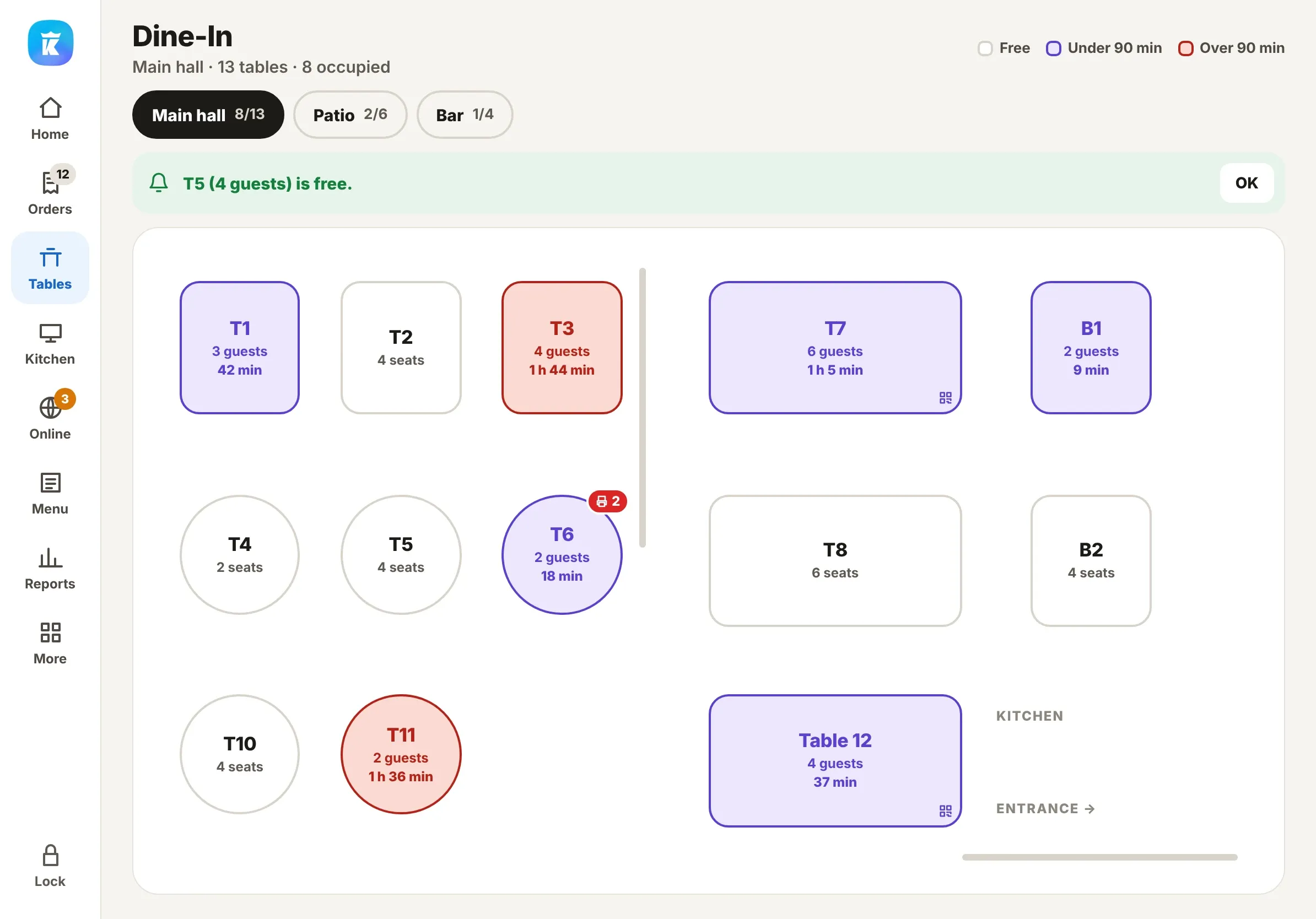
Know every table at a glance
Guests and time seated on each table; past 90 minutes it turns red.
Order by guest
Each seat has its own total, so splitting the check is already done.
Pay at the table
Dejavoo handhelds take orders, payments and tips tableside.
Shorter lines, faster tickets
Guests order from a kiosk or a counter QR. Tickets go straight to the kitchen, and a text goes out the moment the order is ready.
Explore the self-order kioskKiosk and to-go QR
Guests order and pay on their own, with the same menu and add-on rules.
Ready texts
When the kitchen marks the last item ready, the guest gets a text.
Customer display
Guests see items, totals and payment as you ring them in.
Catering, from quote to deposit
Build a quote from a package, email it to the guest and take a deposit on the terminal. Every event lands on one calendar.
Explore catering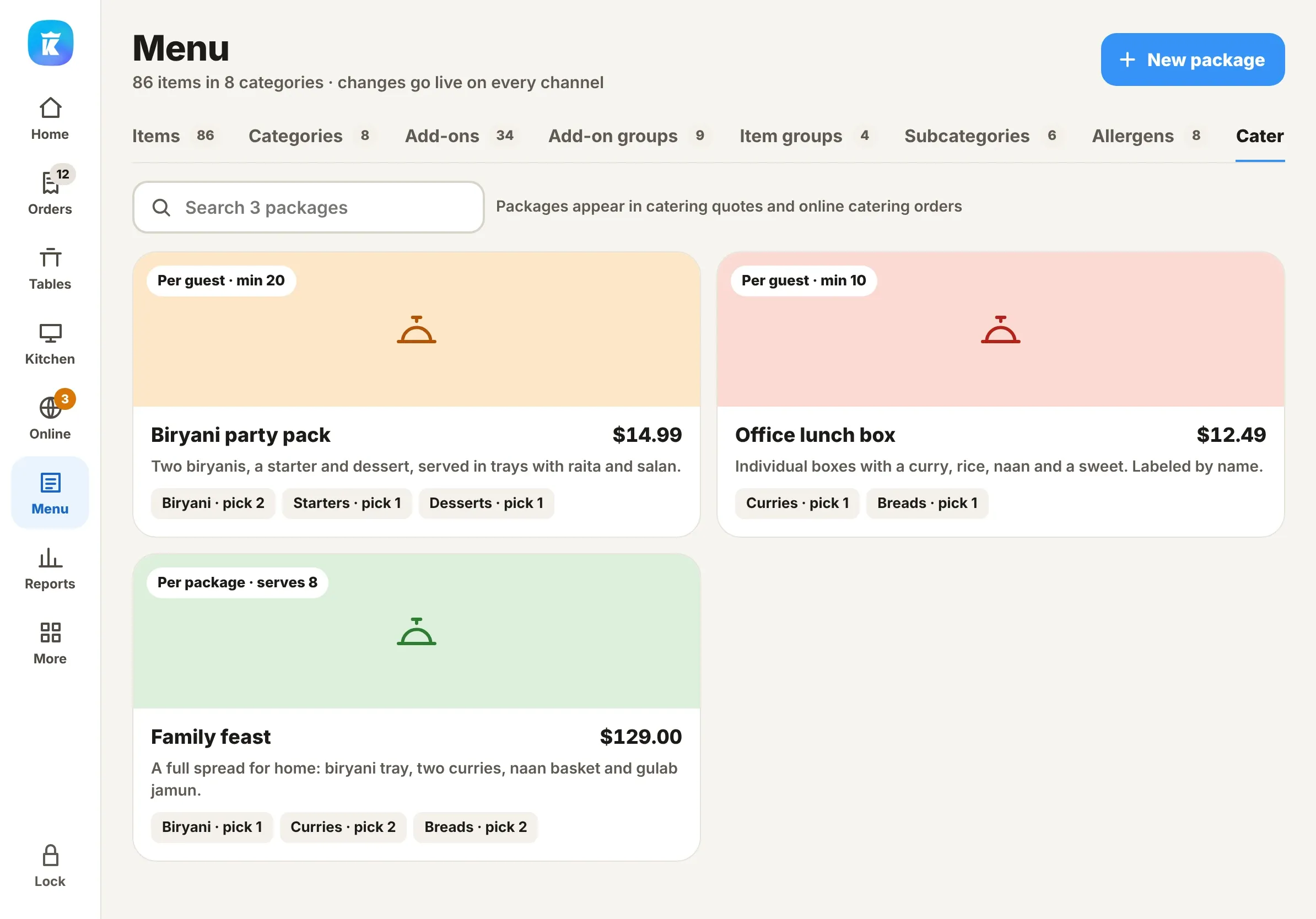
Bring guests back, and know what's working
Ask Kuber anything
An assistant that reads your own sales, orders, menu and team, answers in plain language and fills in forms for you to check.
Meet Ask Kuber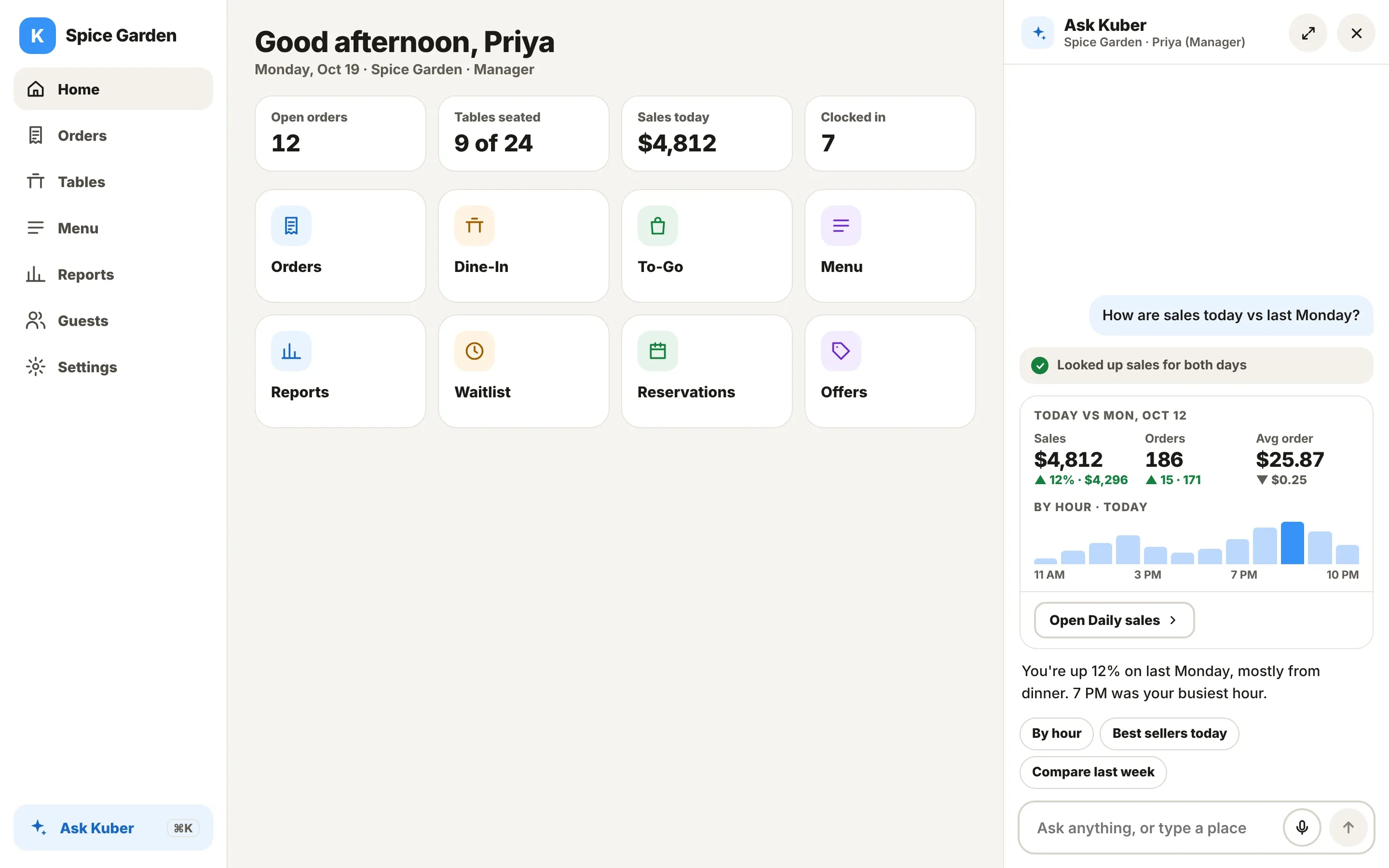
Rewards regulars notice
Points per guest, offers with codes, and a prompt at payment when a guest has a reward waiting.
Explore guests & rewards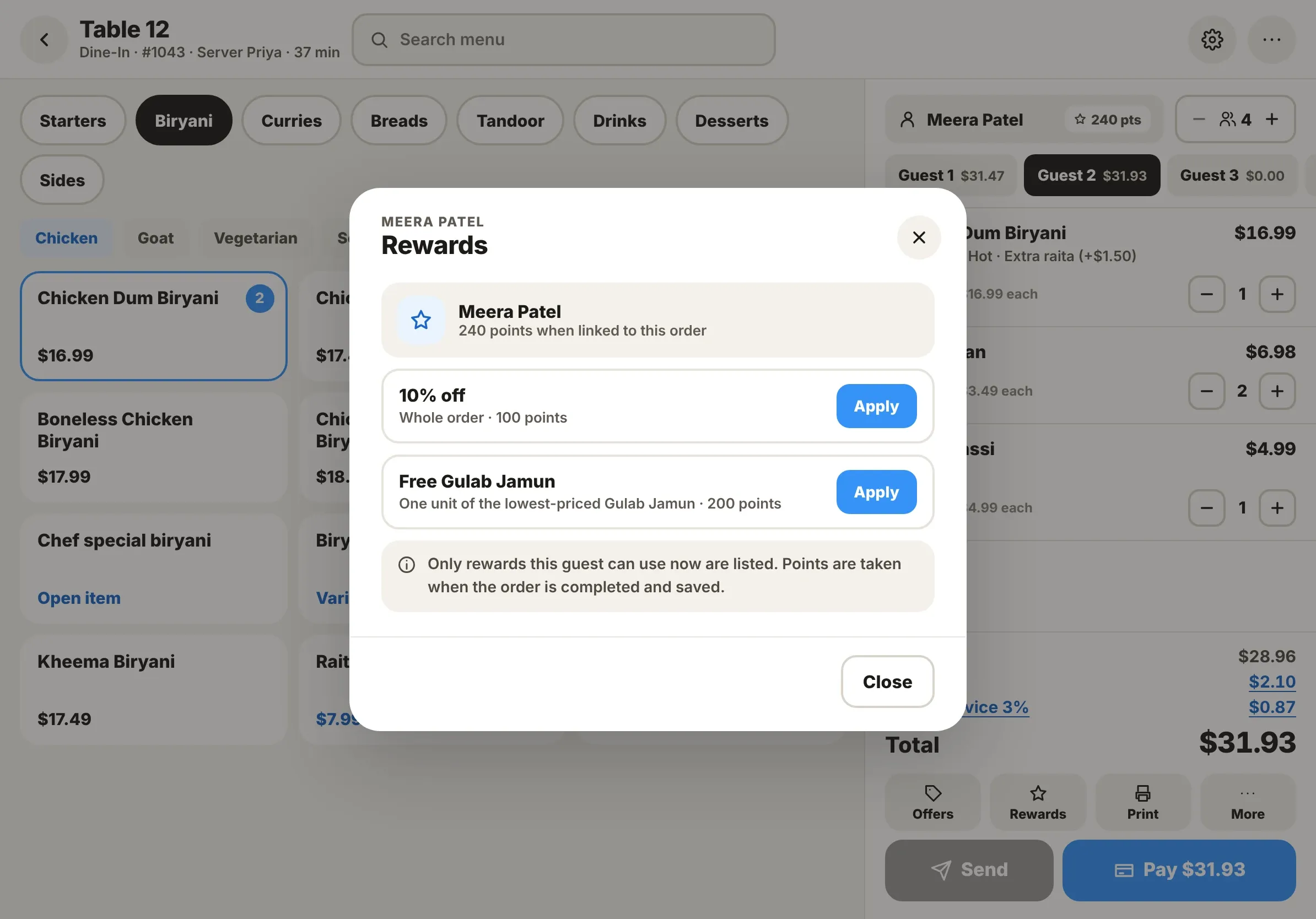
Campaigns that run themselves
Segments, SMS and email templates, and journeys that bring back guests who haven’t visited in a while.
Explore marketing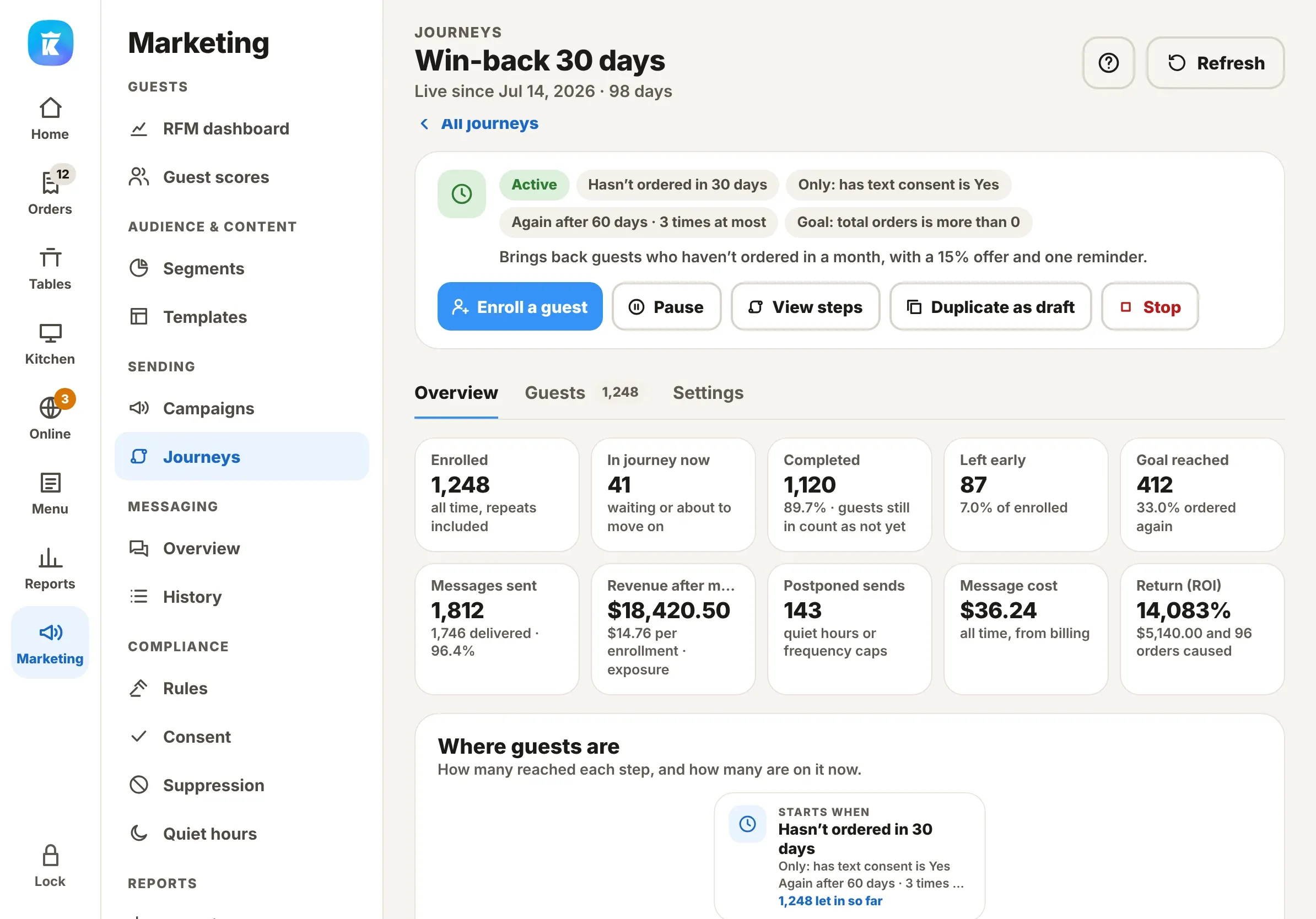
Hardware that works how you do
Shop all hardware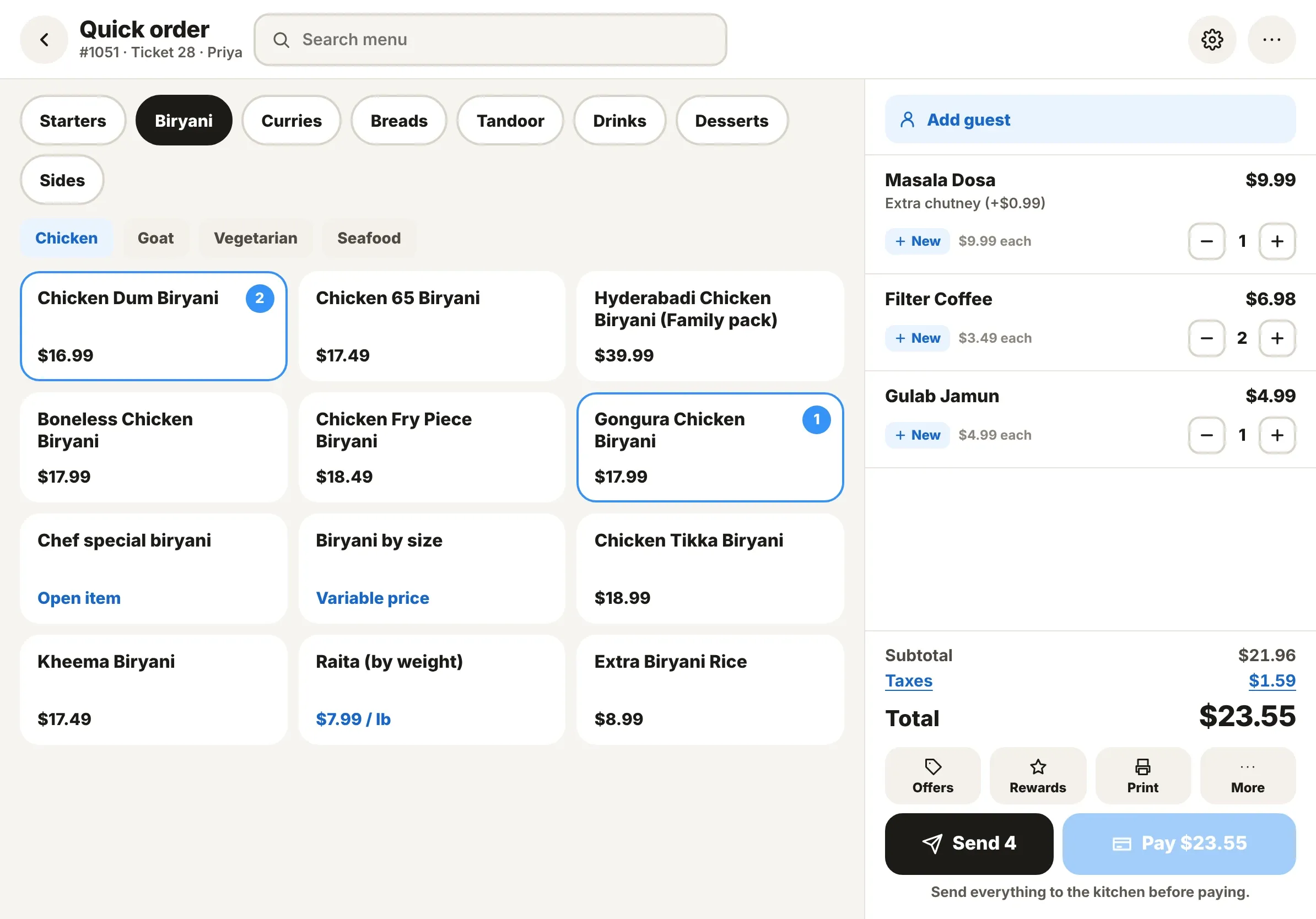
Kuber is an excellent all-in-one restaurant management solution with reasonable pricing and outstanding support. It offers everything a restaurant needs—POS, employee time tracking, online ordering integration, a mobile app, QR code scanning, and reporting—all in one convenient platform. Highly recommended for restaurant owners looking for great functionality, value, and dependable support!
One price. Everything included. No contract.
Every Kuber POS feature, on every plan, on unlimited devices. Pick how you’d like to pay for it.
Kuber Cash Price
Most popularPay $0 in card processing fees.
Your menu shows the card price. Guests who pay cash save 4%. Card payments cover their own processing — you pay nothing out of pocket.
Get a demo- Every Kuber POS feature
- Unlimited devices
- No contract, cancel anytime
- Free onboarding and menu setup
Kuber Complete
Lowest processing rates in the market. Bring us any written offer and we’ll match or beat it.
Same software, same features — for restaurants that prefer one menu price for cash and card.
Get a demo- Every Kuber POS feature
- Unlimited devices
- No contract, cancel anytime
- Free onboarding and menu setup
FAQ
Which card processors does Kuber work with?
What happens if the internet goes down?
Which devices does Kuber run on?
Can I sell on Uber Eats, DoorDash and Grubhub?
Do I need a separate website for online ordering?
See your restaurant running on Kuber
Thanks, you’re on the list.